Jing is a free software that allow us to take snapshots and record video from our screen.
Besides, this great software have a excellent share feature with direct upload to Flickr, screencast.com or another server throw FTP support.
We can also save our visuals to a local file or to clipboard.
Available for both Windows and Mac OS X, it is the a great solution for personal and professional use.
Great features:
- Take screen pictures from window, pane or region;
- Add visual effects to your images to explain something by highlight, adding text or figures (arrow and rectangle)
- Jing saves the images in a PNG file;
- Record an onscreen video from a window or a region (in the free version it records only 5 minutes);
- Add voice comments on the fly;
- Save your movies in SWF or MPEG4 (PRO version only)
- Share your files directly to Flickr, Youtube, another server via FTP, save it in a local file or copy to clipboard;
How to use it?
Take a screen picture
It’s very easy and effective.
- Use the hotkey or mouse over the sun and click capture
- Select one of the supported modes: window, pane or region (select the region)
- Share your image
Good enough? Not for Jing. After taking the picture, Jing has a great feature where we can highlight, add text, arrows or rectangles.
Now we have the image, just share or save it in your computer.
Record an onscreen video
Taking a picture was easy? Record a video is easy too.
- Start capture mode like with the hotkey or with a mouse click
- Select what you want to record (window or region)
- Do whatever you want in the chosen region
- You can add voice comments on the fly
- Save your movie as an SWF file or a MPEG4 one (only in the PRO version)
More information on Jing’s Website
Posted in Software by admin
To win the final battle (Redemption) in Heavenly Sword without too much effort we’ve to know how to block and deflect Bohan (Raven King – The Boss) attacks back to him, specially those sent from the air.
Posted in Games by bamaral
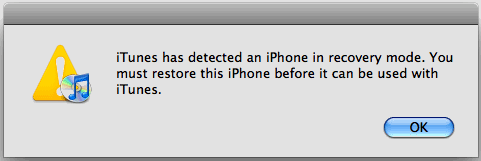
Some time ago, my iPhone crashed, freeze and I couldn’t make it reboot. Besides, in the iPhone isn’t easy to remove the battery.
After searching for a solution I found that there is a way to reboot the iPhone, just using a combination. To do it, we need to press two buttons at the same time. [...]
Posted in iPhone by admin
Aparentemente não há forma de forçar um iPhone a reiniciar (reboot). Acontece que, tal como em todos os equipamentos electrónicos, por vezes estes param e deixam de dar resposta aos inputs do exterior (crash).
Na realidade é possível fazer o iPhone reiniciar através da pressão de dois botões ao mesmo tempo. Para reiniciar o iPhone pressione [...]
Posted in iPhone by bamaral
There are several ways to do a page refresh or redirect it to a new one. It can be done in the client side, with HTML or a script language, or in the server side with PHP or in the server configuration directly. The most simple way is using the HTML to tell to the [...]
Posted in HTML, Web Development by bamaral
Last week i had to make backup’s of some websites through the Linux shell. I usually don’t have to make server administration and i don’t remember all the linux commands that I needed to do the job, then i decided to make this post for future task guide.
When I say backup a site, i mean [...]
Posted in Linux by bamaral
Usually i use phpMyAdmin to configure, change and import/export my databases. However, recently, one of my databases went so big that it i have some problems to export or import it. The solutions is doing it with the Linux shell.
Linux shell can be very painful but can be the solution either. Using it to import or export MySQL databases can be a better and easier way. With shell we can backup all our databases and download only one file, or we can set up a cron job that do backup according to a defined schedule. Another major advantage is the possibility of import large SQL dump files (the phpMyAdmin has a limit).
Posted in DataBase, Linux by bamaral